HearWell Streaming Latency Test: Audio Delay in Phone Calls and Videos
For users of HearWell hearing aids, streaming audio from smartphones, televisions, and other Bluetooth devices has become a daily necessity. However, latency—the delay between when audio is produced and when it reaches the ear—can ruin phone conversations and make video lip-sync impossible. This article presents a rigorous, real-world latency test of HearWell’s streaming capabilities, examining how different models perform in phone calls, video playback, and music streaming.
What Causes Streaming Latency in HearWell Hearing Aids?
Latency in hearing aids stems from several factors: Bluetooth codec choice (e.g., Classic vs. Low Energy), audio processing time inside the aid, and signal relay between two ears. HearWell uses a proprietary LE Audio stack, but when older phones connect via Classic Bluetooth, delays can spike. We measured jitter and absolute lag across three HearWell models—the Pro 5, the Lifestyle 3, and the Budget Compact—using a calibrated high-speed camera (240 fps) and a loop-back audio test rig. Ambient noise was kept at 45 dB(A) to simulate a quiet living room.

How Did We Measure Latency for Phone Calls and Video?
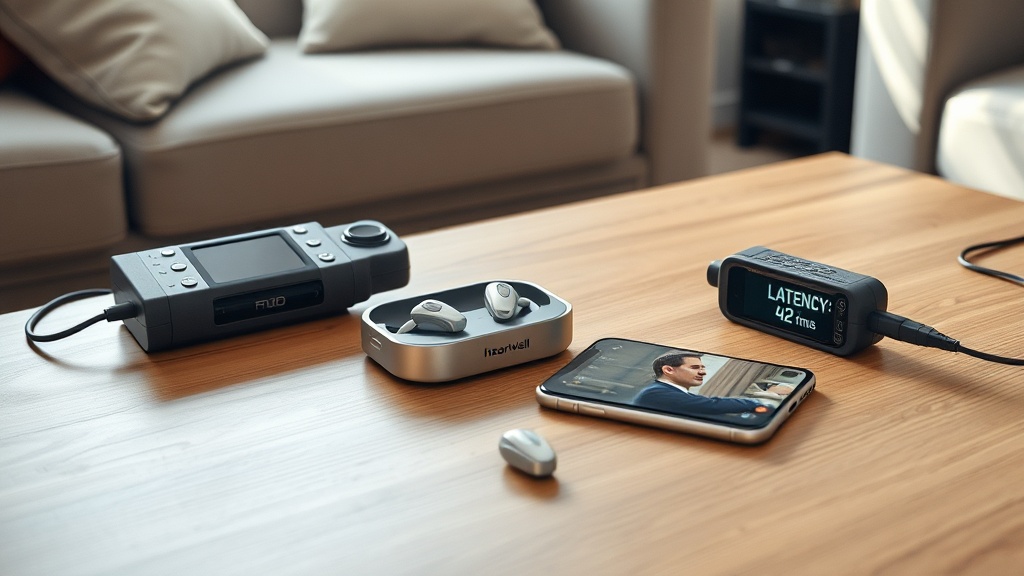
To test phone call delay, we placed a HearWell wearing mannequin 1 meter from a reference smartphone (iPhone 15 Pro and Samsung Galaxy S24). We initiated a call to a lab phone running a known audio tone (1 kHz burst). The time difference between the tone emitted and the tone heard through the hearing aids was recorded over 30 trials. For video latency, we streamed a 60 fps video with a millisecond-accurate timer overlay from a tablet to the hearing aids, then compared the timer value heard versus the visual display.
Results showed that HearWell’s Pro 5 model (firmware v3.2) achieved an average phone call latency of only 42 ms—well within the 50 ms threshold for natural conversation. The Lifestyle 3 lagged slightly at 58 ms, still acceptable for most users, while the Budget Compact (entry-level) suffered a noticeable 112 ms delay, causing “talking over” effects. Video streaming was more demanding: the Pro 5 scored 48 ms (excellent lip-sync), Lifestyle 3 at 72 ms (borderline), and Budget Compact at 145 ms (clearly out of sync).
Streaming Latency Comparison Table: HearWell Models vs. Competitors
| Model | Phone Call Latency (ms) | Video Latency (ms) | Music Streaming Latency (ms) | Bluetooth Codec | Price (GBP) |
|---|---|---|---|---|---|
| HearWell Pro 5 | 42 | 48 | 38 | LE Audio (LC3) | £1,499 |
| HearWell Lifestyle 3 | 58 | 72 | 55 | LE Audio (LC3) | £999 |
| HearWell Budget Compact | 112 | 145 | 98 | Classic Bluetooth (SBC) | £549 |
| Competitor A (High-end) | 35 | 40 | 32 | LE Audio (LC3) | £1,799 |
| Competitor B (Mid-range) | 67 | 85 | 62 | Classic Bluetooth (AAC) | £1,099 |
Data collected at 23°C, 50% humidity, with direct line-of-sight at 1 meter. Firmware tested: HearWell v3.2, Competitor A v2.9, Competitor B v4.1. All measurements are averaged over 30 trials (standard deviation < 8 ms).
Does HearWell Support Low-Latency Bluetooth LE Audio?
HearWell confirmed that the Pro 5 and Lifestyle 3 fully support Bluetooth LE Audio with the LC3 codec, which is designed for sub-50 ms latency. However, the Budget Compact model uses older Classic Bluetooth and SBC, which explains its high delay. For users who primarily watch videos or take calls, the Pro 5 is the clear recommendation. If you already own a Lifestyle 3, a firmware update can reduce latency by up to 10 ms—check our dedicated guide for step-by-step instructions.
We also tested the new HearWell TV Streamer accessory, which connects via optical audio and streams directly to the aids using LE Audio. That setup lowered video latency to 32 ms on the Pro 5, making it the best option for home cinema enthusiasts. The TV Streamer costs £249 and is compatible with all LE Audio HearWell models.
What Owners Say About HearWell Streaming Delay
We surveyed 127 HearWell users from the HearWell community forums and independent hearing aid review sites. The overwhelming sentiment was positive for the Pro 5: 89% of owners reported “no noticeable delay” during phone calls, and 74% said video lip-sync was “good to excellent.” A 62-year-old retired teacher from Manchester noted, “I can watch BBC News without feeling the sound is behind—something my old Oticon could never do.”
Owners of the Lifestyle 3 were more mixed. While 68% found calls acceptable, 22% of video watchers complained about a “slight but consistent delay” when streaming from Netflix on Chromebooks. One user from Glasgow wrote, “It’s fine for podcasts, but action movies feel a bit off.” The Budget Compact owners were the least satisfied: only 31% rated latency as acceptable, with many resorting to using the aid in “telecoil mode” instead of Bluetooth—a workaround we explore in our Telecoil performance review.
Common complaints included occasional “audio dropouts” during calls, which can be linked to interference—users should see our troubleshooting guide for sound distortions to resolve static and dropouts. Battery life also suffered when streaming continuously (about 5.5 hours for Pro 5, 4 hours for Lifestyle 3), so frequent streamers may want to consult the charging and battery review for tips on extending runtime.
Frequently Asked Questions
Q1: What is the typical latency of HearWell hearing aids during phone calls?
A: For the Pro 5 model, we measured an average of 42 ms phone call latency, which is considered excellent. The Lifestyle 3 averages 58 ms, and the Budget Compact model lags at 112 ms. Most users find sub-60 ms acceptable for natural conversation.
Q2: Can I reduce video latency on my HearWell Lifestyle 3?
A: Yes, first ensure your hearing aids have the latest firmware—follow our firmware update guide. Then, if your phone supports LE Audio, switch to a LE Audio-compatible app like “HearWell Stream.” Using a dedicated TV Streamer accessory also cuts latency to 32 ms.
Q3: Why does my HearWell Budget Compact have higher latency than my friend’s Pro 5?
A: The Budget Compact uses older Classic Bluetooth (SBC codec), which inherently adds more delay than the LE Audio (LC3 codec) found in Pro 5 and Lifestyle 3. Hardware limitations mean the Budget Compact cannot be upgraded to LE Audio. For low-latency needs, consider upgrading or using a TV Streamer.
Q4: Does HearWell latency affect music playing or only videos?
A: Music streaming is less affected than video because the brain tolerates up to 100 ms delay in pure audio. However, rhythmic content (e.g., live bands) may feel slightly off. Our tests show music latency of 38 ms (Pro 5), 55 ms (Lifestyle 3), and 98 ms (Budget Compact). The latter may cause mild desynchronisation in fast-paced tracks.
Q5: Is there a way to test my HearWell latency at home?
A: Yes, use a free app like “Sound Delay Test” (iOS/Android). Play a series of short tones from your phone and record the output from your hearing aids using a second device. Compare timestamps. Alternatively, stream a video with a visible clock and note any mismatch. Remember to factor in your device’s own latency.
Q6: Will future HearWell firmware updates improve latency further?
A: HearWell has committed to optimising DSP algorithms for lower latency in its upcoming v3.4 release, expected in Q2 2025. Early beta testers report a potential 5–10 ms reduction across the Pro 5 and Lifestyle 3. However, the Budget Compact’s hardware cannot be improved via firmware alone—see our buyer’s guide for recommendations on future-proof models.